框架接口-getApp
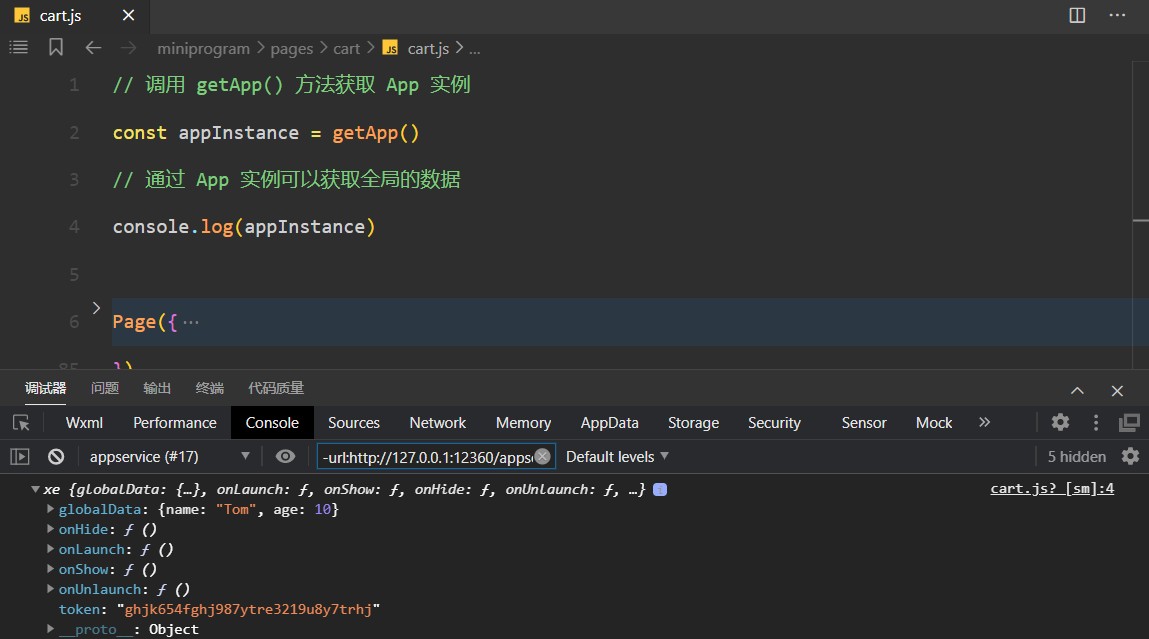
getApp() 用于获取小程序全局唯一的 App 实例,通过小程序应用实例可实现数据或方法的共享
📌 注意事项:
- 1.不要在 App() 方法中使用 getApp() ,使用 this 就可以拿到 app 实例
- 通过
getApp() 获取实例之后,不要私自调用生命周期函数
落地代码:
➡️ app.js
1
2
3
4
5
6
7
8
9
10
11
12
13
14
15
16
17
| App({
globalData: {
token: ''
},
setToken (token) {
this.globalData.token = token
}
})
|
➡️ pages/index/index.js
1
2
3
4
5
6
7
8
9
10
11
12
13
14
15
|
const appInstance = getApp()
Page({
login () {
console.log(appInstance)
appInstance.setToken('fghioiuytfghjkoiuytghjoiug')
}
})
|
小程序页面间通信
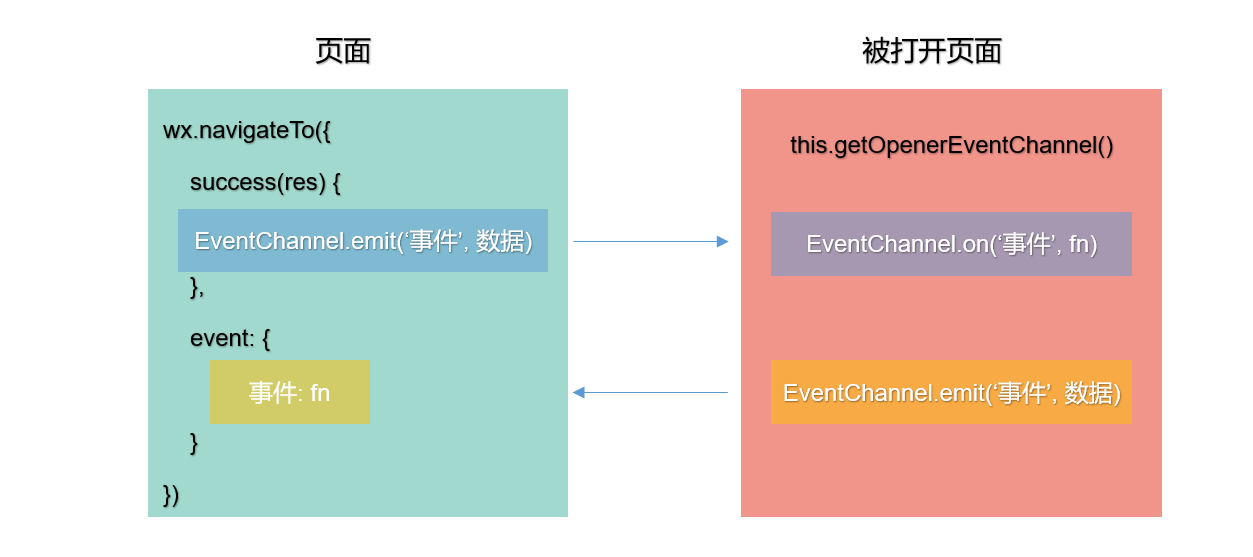
如果一个页面通过 wx.navigateTo 打开一个新页面,这两个页面间将建立一条数据通道
在 wx.navigateTo 的 success 回调中通过 EventChannel 对象发射事件
被打开的页面可以通过 this.getOpenerEventChannel() 方法获得一个 EventChannel 对象,进行监听、发射事件
wx.navigateTo 方法中可以定义 events 配置项接收被打开页面发射的事件
这两个 EventChannel 对象间可以使用 emit 和 on 方法相互发送、监听事件。
落地代码:
页面 .js 文件
1
2
3
4
5
6
7
8
9
10
11
12
13
14
15
16
17
18
19
20
21
22
23
24
25
26
| Page({
handler () {
wx.navigateTo({
url: '/pages/list/list',
events: {
currentevent: (res) => {
console.log(res)
}
},
success (res) {
res.eventChannel.emit('myevent', { name: 'tom' })
}
})
}
})
|
被页面 .js 文件
1
2
3
4
5
6
7
8
9
10
11
12
13
14
15
16
17
18
19
| Page({
onLoad () {
const EventChannel = this.getOpenerEventChannel()
EventChannel.on('myevent', (res) => {
console.log(res)
})
EventChannel.emit('currentevent', { age: 10 })
}
})
|
自定义导航栏
小程序默认的导航栏与 APP 一样都位于顶部固定位置。但是默认导航栏可能会影响小程序整体风格,且无法满足特定的设计需求,这时候,就需要进行自定义导航栏。
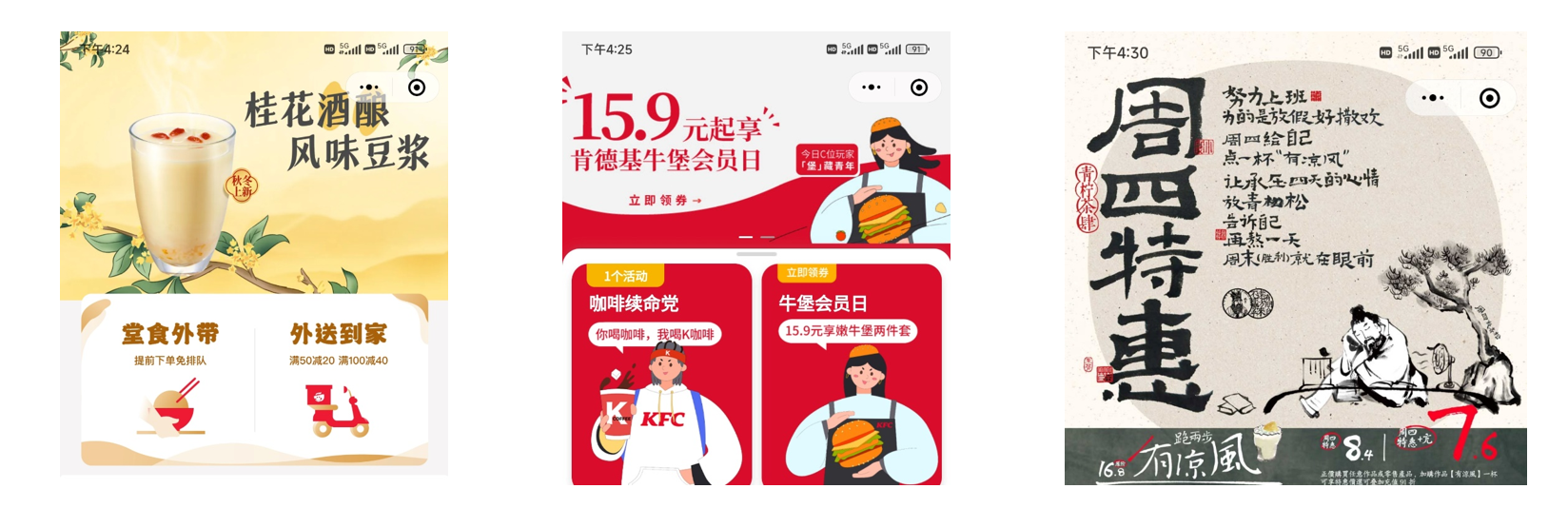
在 app.json 或者 page.json 中,配置 navigationStyle 属性为 custom,即可 自定义导航栏
在设置以后,就会移除默认的导航栏,只保留右上角胶囊按钮
落地代码:
1
2
3
4
| {
"usingComponents": {},
"navigationStyle": "custom"
}
|
1
2
3
4
5
6
7
8
9
10
11
12
13
14
15
16
|
<swiper class="custom-swiper" indicator-dots autoplay interval="2000">
<swiper-item>
<image src="../../assets/banner/banner-1.png" mode=""/>
</swiper-item>
<swiper-item>
<image src="../../assets/banner/banner-2.png" mode=""/>
</swiper-item>
<swiper-item>
<image src="../../assets/banner/banner-3.png" mode=""/>
</swiper-item>
</swiper>
|
1
2
3
4
5
6
7
8
9
10
11
|
.custom-swiper {
height: 440rpx;
}
.custom-swiper image {
height: 100%;
width: 100%;
}
|